Home networking & Wi-Fi · Calgary
Wi-Fi and home networking that work where you need them
Wi-Fi that fades upstairs, devices that stopped connecting after a router change, or a home office that needs a wired connection: IT Homes AV checks the network you have and explains what needs attention.
We troubleshoot existing networks and install wired connections and Wi-Fi access points. Start with the rooms and devices giving you trouble; you do not need to choose new equipment first.
What we can help with
Fix a problem or plan better coverage
- Wi-Fi coverage and connection troubleshooting
- Router and access-point placement
- Wired connections for home offices and AV equipment
- Ethernet cable-route assessment in finished homes
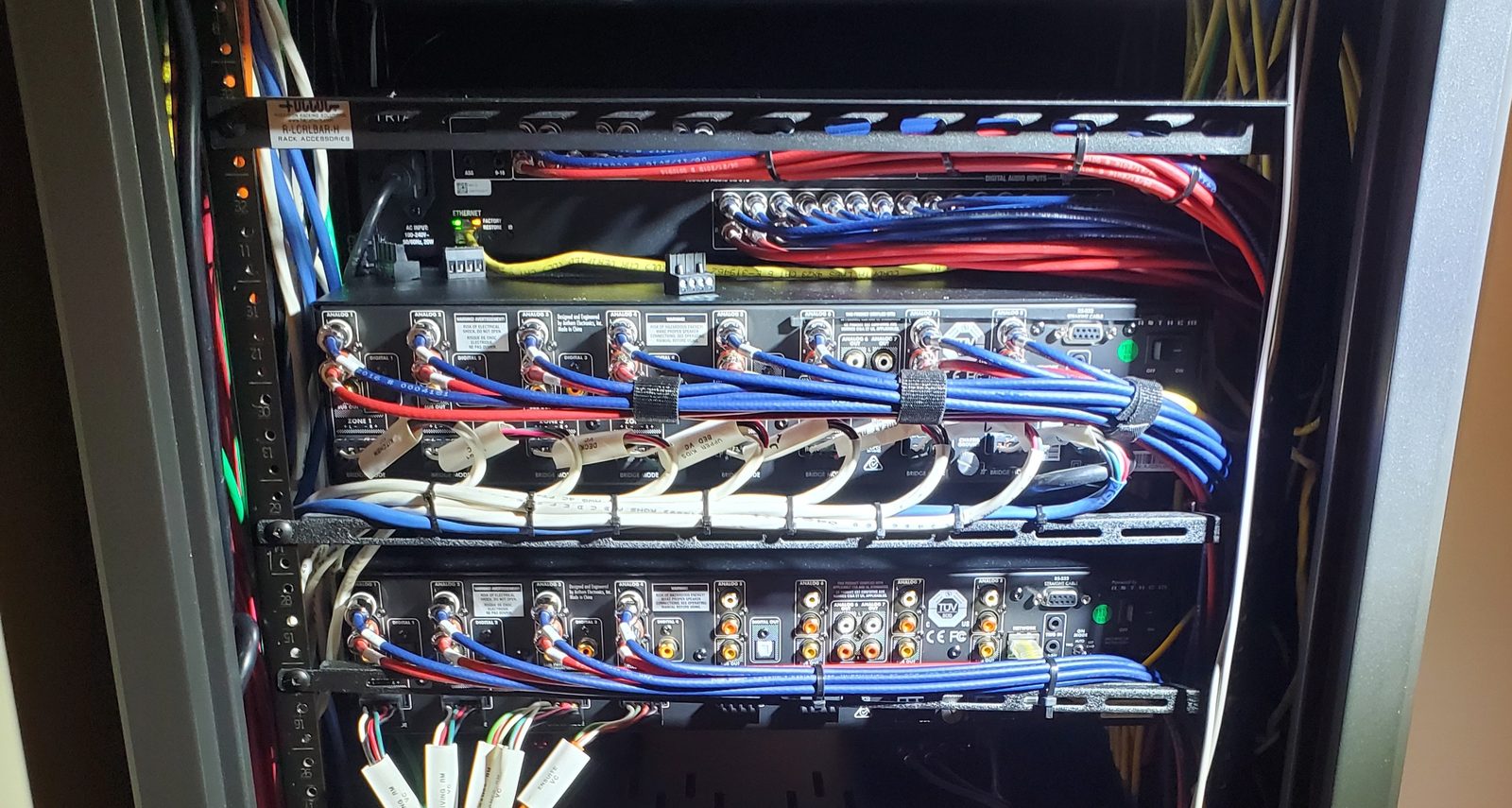
- Network racks, patch panels and labelled connections
- Network planning for renovations and new builds
IT Homes AV has operated in Calgary since 2005. We inspect existing equipment and wiring before recommending replacements.
Find out where the problem starts
Slow internet, weak Wi-Fi and one disconnected device are not necessarily the same problem. We check the symptoms and connections so the proposed work addresses the cause. An issue with the incoming internet service may need your provider's help.
Check routes before running cable
For finished homes, access and construction determine where Ethernet can go and whether openings or finish repairs are needed. For open-wall projects, our structured wiring service covers construction-stage planning.
Look at the equipment using the network
When music drops out or some rooms will not connect, the network and audio equipment need to be checked together. See our multi-room audio and Sonos setup service.
How we approach it
Check, explain, then improve
Show us the problem
Tell us which rooms or devices are affected and what changed. We review the layout, connections and equipment.
Agree on the work
We explain the findings and practical options, including equipment that can stay and any cable-route limitations.
Test where you use it
After the agreed setup or installation, we check connections and coverage in the relevant areas and explain the network to you.
An unfamiliar system?
You can start without a network diagram
If you bought a home with an undocumented rack or smart-home equipment, our existing-system assessment can help identify the wider system before changes are made.
See the labelled connections in our Managed Rack & Prewire project for an example of the wiring behind a serviceable installation.
Before you book
Home Wi-Fi and networking questions
Can you help if Wi-Fi works in some rooms but not others?
Yes. We check the affected areas, access-point or router placement, connections and possible interference before recommending changes. The right fix depends on the house and existing equipment.
Things stopped connecting after I changed my router. Can you help?
Yes. We can review the network and how the affected equipment connects to it. Tell us what changed and which devices stopped working; you do not need to diagnose the problem first.
Can you install Ethernet in a finished home?
We assess cable routes and access before confirming what is possible. Some routes need openings or finish repairs. We explain the options before running cable.
Do I have to replace my internet provider's router?
Not necessarily. We inspect what is already there and distinguish coverage or home-network problems from an internet-service issue. Suitable equipment may be retained; provider-side problems may need your internet provider's help.
Can you check the network for streaming music or cameras?
Yes. We review the connections and coverage the equipment relies on. A network problem does not automatically mean the speakers, cameras or other connected devices need replacing.